Turn any web table into a spreadsheet. One click.

SheetSnap finds every table on the page and lets you copy it straight into Excel or Google Sheets, or download it as CSV, Excel, Markdown or JSON.

Public installation is not currently available. Pro purchasing is paused until public installation is available.

No account. No tracking. Your table data never leaves your browser.
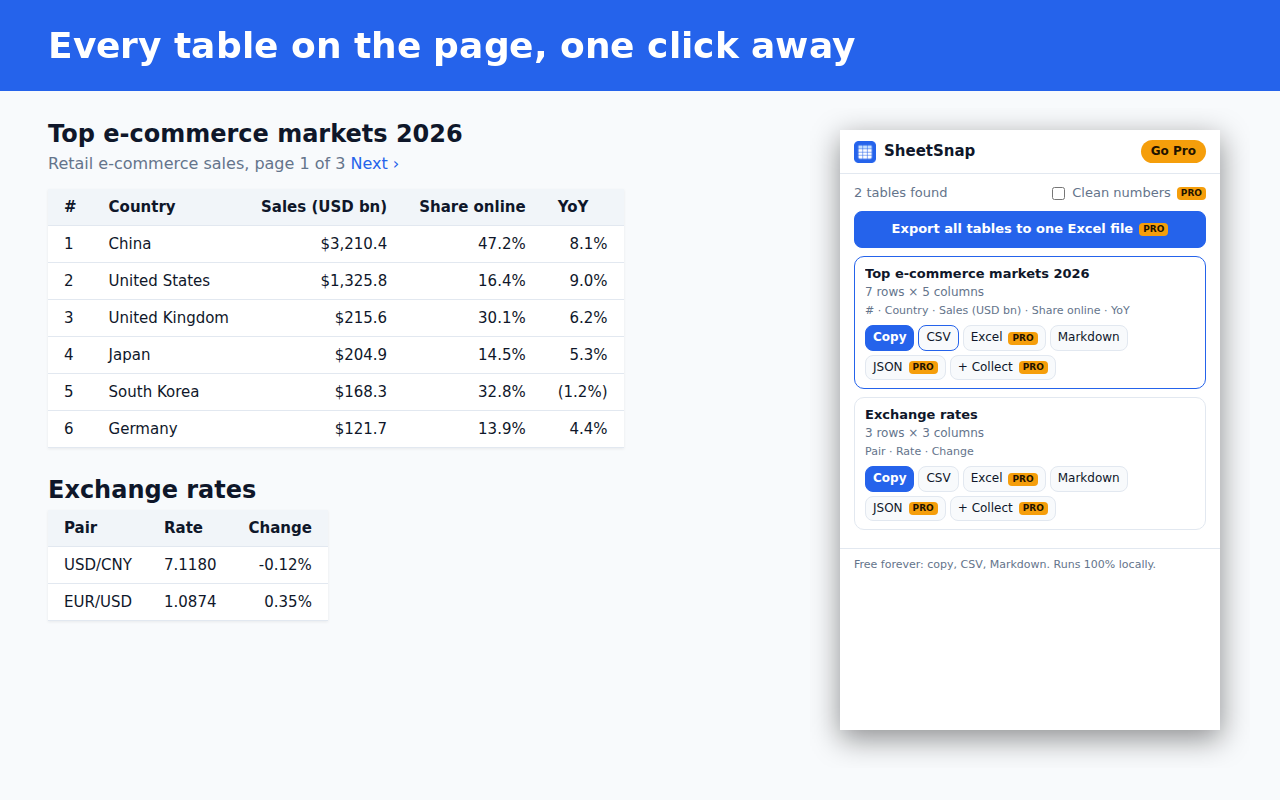
SheetSnap popup listing the tables found on a web page

Built for people who live in spreadsheets

Finds every table

HTML tables and modern div-based data grids, including merged cells. Layout junk is skipped.

Paste-ready copy

Copy puts clean tab-separated data on your clipboard. Paste into Excel or Sheets and the columns line up.

Free CSV, forever

Unlimited CSV and Markdown downloads on the free plan. No row caps, no daily limits.

Real Excel files

Pro downloads native .xlsx with a bold, frozen header row and sized columns.

Clean numbers

Pro turns "$1,234.50", "(3.6%)" and "€820,000" into real numbers you can sum and chart.

Merge paginated results

Pro collects tables from page 1, 2, 3… and merges them into one sheet, removing repeated headers.

Simple pricing. No subscription.

Free

$0
  • Unlimited copy to clipboard
  • Unlimited CSV download
  • Markdown export
  • Highlight table on page

Public installation is not currently available.

Pro

$9.99 once, lifetime
  • Everything in Free
  • Excel (.xlsx) download
  • All tables → one workbook
  • Clean numbers & percentages
  • Collect & merge across pages
  • JSON export

Pro purchasing is paused until public installation is available.

Listed plans and prices are shown for reference. Public installation is not currently available, and Pro purchasing is paused.

FAQ

Does SheetSnap send my data anywhere?

Table data stays in your browser, where tables are read and converted. Pro licensing contacts our license server for activation, periodic validation and deactivation; these requests send license information, not table data.

Which sites does it work on?

Any page that shows data in an HTML table or an accessible data grid: finance sites, Wikipedia, dashboards, admin panels, sports stats and more. Tables drawn on a canvas or inside images can't be read.

Why can't it see a table that is on the page?

Some sites load data only after you scroll or click. Make the rows visible, then click "Scan again".

Can I use Pro on more than one computer?

Yes, one license covers up to 3 browsers.

Refunds?

If Pro doesn't work for you, email us within 14 days for a full refund.